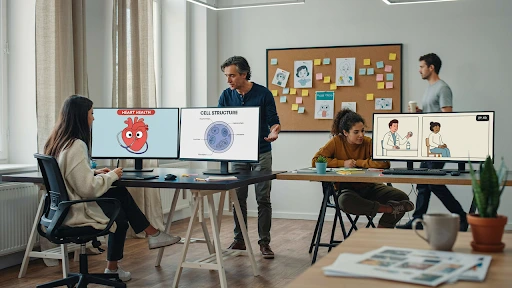
A hospital commissions a video to help patients prepare for surgery. By the time a clinician reviews it, the team has already animated the scenes. The clinician flags a fasting instruction, and the team must revise the script, narration, on-screen text, and finished animation. The launch slips while the budget absorbs work that could have been corrected on a page.
The fix starts in the brief: define who the video is for, what they need to do, and who approves the clinical script before animation begins. This guide walks through those decisions in the order a healthcare team should make them.
Key Takeaways
- Pick one audience. Patients, caregivers, clinicians, staff, and payers need different versions of the same subject.
- Define a single action the viewer should take. Two goals produce a video with none.
- Decide where it will be watched before choosing length. A waiting room and a patient portal are different briefs.
- Name one person who signs off on clinical accuracy, and get them reading the script, not the storyboard.
- Lock the script before any visual work. Changes cost far more once animation starts.
Settle Who It Is For Before Anything Else
Name one audience. Not “patients and providers,” not “anyone who lands on the page.” One.
The same clinical subject plays completely differently depending on who is watching. A patient wants to know what happens to them and what to do next. A caregiver needs the version they can act on at home. A clinician wants mechanism and evidence and will find the patient version patronizing.
This is the decision everything else hangs off, which is why it comes first. Reading level, runtime, format, and tone are all downstream of it.
If you genuinely need to reach several groups, that is a series, not a longer video. Build one script spine and produce audience-specific versions from shared assets. That costs far less than five unrelated productions and far less than one video that satisfies nobody.
What Single Thing Should the Viewer Do Next?
Write the one action down before scripting. If you cannot state it in a sentence, the video is not ready to be made.
Useful answers are concrete. Book the screening. Take the medication at the same time each day. Bring this list to the appointment. Complete the pre-op fast correctly. Each of those is observable, which also makes it measurable later.
Vague answers are a warning sign. “Raise awareness” and “build trust” are outcomes of a video doing something specific, not instructions a script can follow.
Teams often resist narrowing this because the subject feels too important to simplify. The opposite is true. The more serious the topic, the more a viewer needs one clear instruction rather than five competing ones.
Set the Reading Level, Then Hold Everyone to It
Decide the reading level at the brief and write it into the approval criteria, because it will drift upward during review.
The reason is straightforward. According to the national assessment reported by HHS, only 12 percent of US adults have proficient health literacy, with 77 million at basic or below basic. For patient and caregiver content, sixth to eighth grade is the working target. Proficient readers lose nothing from plain language.
What drifts is the clinical review. Reviewers are specialists, specialists write like specialists, and corrections often restore the precise term that was deliberately replaced. State the reading level in the brief so “hypertension” versus “high blood pressure” is a decision already made rather than a debate in round three.
Decide Where the Video Will Actually Be Watched
Pick the placement before the length, because placement dictates almost everything about how the video has to work.
A waiting room screen is silent, looped, and watched from across a room. It needs on-screen text, high contrast, and no reliance on narration. A patient portal video is watched alone, with sound, by someone actively looking for an answer. A video embedded in a discharge email gets watched once, on a phone, possibly in a car park.
Three practical consequences. Captions are mandatory for anything that might play without sound, which in healthcare is most things. Mobile viewing means on-screen text has to survive a small screen. And a video meant to be rewatched needs a permanent home, not a one-time modal.
Settle this early, and the format and runtime questions mostly answer themselves.
Which Format Does the Subject Need?
Choose by what has to be seen, not by what looks impressive or what the budget nudges you toward.
2D animation suits processes, patient journeys, and service explanations where nothing physical needs depicting. 3D medical animation is the only real option for anatomy, mechanism of action, and how a device behaves inside the body, and it costs considerably more. Live action suits facilities, staff, and human reassurance. Motion graphics handle data and outcomes.
A video showing how to use an inhaler needs demonstration, not cinematography. A mechanism of action piece for specialists needs accurate 3D and will be judged by people who know the anatomy. Those are different projects with different budgets, and deciding which one you are making is a brief-stage call.
Fix the Runtime at the Brief, Not in the Edit
Agree a target length before scripting, because runtime set afterward is just whatever the script happened to become.
Rough working targets for a healthcare explainer video: 60 to 90 seconds for a single patient-facing action, 90 to 120 for a caregiver walking through care at home, two to four minutes for staff training, three to five for clinical audiences who want evidence.
The failure mode is predictable. Each reviewer adds one more necessary point, the script grows, and the finished video is three minutes aimed at someone with ninety seconds of attention. A stated runtime in the brief turns every addition into a trade rather than an accumulation.
If the content genuinely will not fit, split it. Two focused videos outperform one that covers everything.
Name One Person Who Signs Off on Accuracy
Identify the clinical reviewer by name before the project starts, and give them the script rather than the storyboard.
One person with authority to approve. Not a committee, not “we’ll circulate it.” Committees produce contradictory notes and nobody owns the resolution.
The timing matters more than the person. A clinician who first sees the work at animation stage will raise accuracy issues that should have surfaced at script, when fixing them costs hours instead of rebuilding scenes. Get them reading words on a page, early, when changing their mind is cheap.
Agree what they are signing off on, too. Clinical accuracy is their call. Tone, length, and visual style are not, and projects stall when that boundary is unstated.
Lock the Script Before Any Visual Work Starts

Treat script approval as a gate, not a milestone. Nothing visual begins until the words are signed.
This is the single most effective cost control available on a healthcare video, because the cost of changing your mind rises steeply at every subsequent stage. A sentence is free to rewrite. A storyboard frame costs an hour. An animated scene costs a day.
Run a plain language check as part of script approval rather than after it. The CDC’s Clear Communication Index is a practical, research-based way to assess whether material will land with a non-expert audience, and it gives reviewers something objective to apply instead of personal preference.
One more thing to settle here: how many revision rounds the budget covers. Two is realistic for healthcare work. Agreeing that number in writing prevents the open-ended review that quietly doubles a project’s cost.
Plan for the Day the Guidance Changes
Decide at the brief how the video gets updated, because clinical guidance moves and a video showing superseded advice is worse than no video.
Three decisions to make before production. Build modular, so a single changed step means replacing one scene rather than reshooting. Keep narration free of specifics where you can, since “take it as prescribed” survives a dosage change that “take two tablets” does not. And set a review date, logged with the file.
Ask who owns the source files and whether partial updates are quoted. A studio that only quotes full rebuilds is an expensive long-term partner for content with a shelf life.
How Will You Know It Worked?
Agree the measure before launch, and make it comprehension or behavior rather than views.
The strongest option in a clinical setting already exists in practice. The teach-back method, described in AHRQ’s health literacy toolkit, asks a patient to explain in their own words what they need to do. Run it after viewing and you have a direct read on whether the video taught anything.
Three supporting signals. Completion rate, since an unfinished video taught nothing. Repeat questions to nursing or support lines, which should fall. And the behavior you named in your single action, whether that is appointment attendance, correct preparation, or adherence.
Record the baseline before launch. Most organizations already have it sitting in a call log or a no-show rate.
The Brief Is the Real Deliverable
Everything above is answerable in a single meeting, and answering it is what separates a healthcare explainer video that works from one that gets rebuilt twice.
One audience. One action. A stated reading level. A known placement. A format chosen for the subject. A named approver reading the script. A locked script before visuals, and a plan for the day the guidance changes.
Get those down, and production becomes the straightforward part. Skip them and you get the project described at the top of this piece. Explainer Video Company starts healthcare work with that brief rather than a storyboard, and any animated explainer video company worth hiring should be asking these questions before it shows you a style frame.
